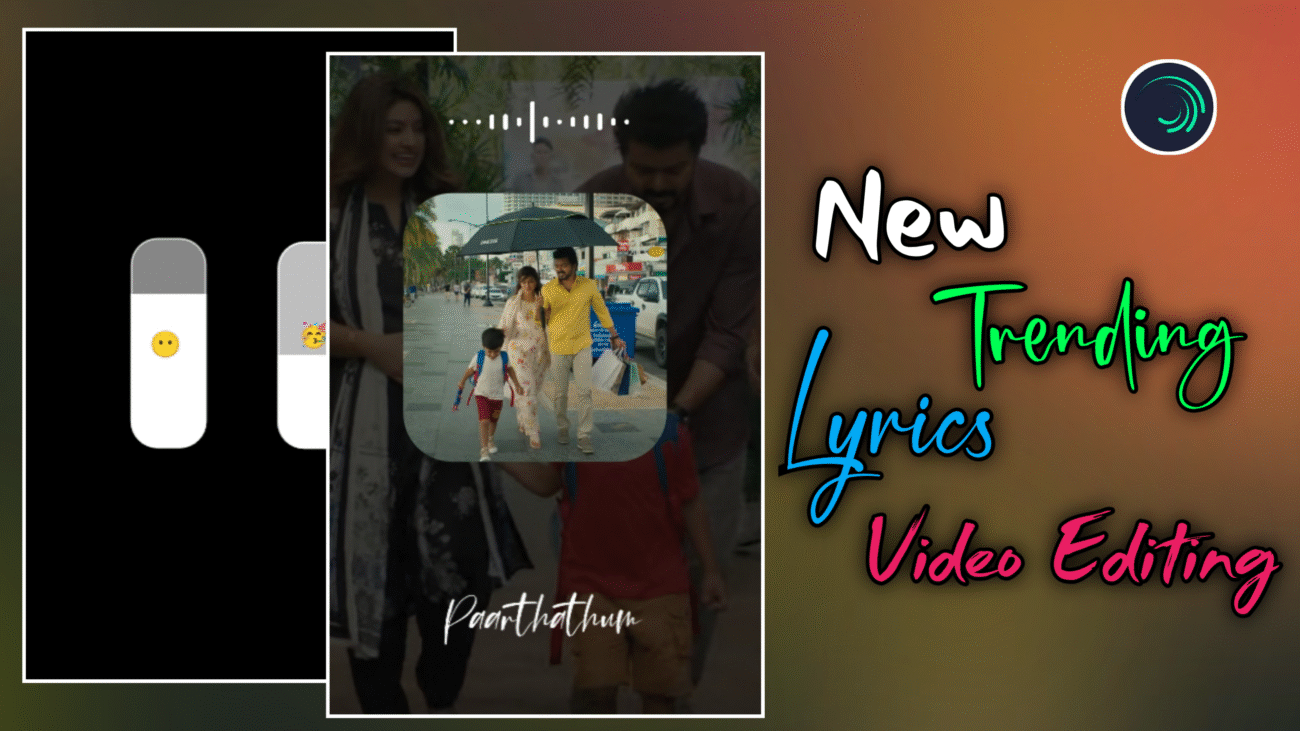
Instagram Trending Lyrics Video Editing 2025: Professional Alight Motion Guide
Instagram Reels-ல 2025-க்கு வந்ததும் lyrics video editing ஒரு normal content இல்ல, அது ஒரு branding style ஆக மாறிடிச்சு. Simple lyrics-ஐ screen-ல காட்டுற காலம் போய், இப்போ creators எல்லாரும் XML-based templates, emoji customization, cinematic background visuals, smooth animations எல்லாம் combine பண்ணி தான் viral reels create பண்ணுறாங்க.
இந்த professional guide-ல, Alight Motion app use பண்ணி எப்படி ஒரு 2025-க்கு suit ஆகுற Instagram trending lyrics reel-ஐ edit பண்ணலாம் என்பதை basic setup-ல இருந்து emoji customization, background visuals, typography, final export வரை step-by-step-ஆ explain பண்ணப் போறோம். Beginner-ஆ இருந்தாலும் சரி, already editing pannitu irukkura creator-ஆ இருந்தாலும் சரி – இந்த article உங்களுக்கு clear workflow idea தரும்.
Project Setup & XML File Configuration
High-quality output கிடைக்கணும்னா, editing start பண்ணுறதுக்கு முன்னாடி workspace correct-ஆ configure பண்ணணும். 2025-ல் most professional editors use பண்ணுற workflow தான் XML files.
First step-ஆ, இந்த tutorial-க்கு use பண்ணுற XML file-ஐ download பண்ணிக்கோங்க. App open பண்ணிட்டு, Alight Motion-ல அந்த XML file-ஐ import பண்ணணும். Import ஆனதும், Projects section-க்கு போய் அந்த project-ஐ open பண்ணுங்க.
XML project open பண்ணினா, already layers, animations, transitions எல்லாம் optimized-ஆ ready-ஆ இருக்கும். Intha full tutorial-ஐ XML-ahve design பண்ணியிருப்பாங்க, அதனால manual setup romba kammi. Layers-ஐ oru vaati preview பண்ணி, எது எதுக்காக use ஆகுது nu understand பண்ணிக்கிட்டா editing romba easy-ஆ pogum.
Emoji Customization & Volume Bar Effects
2025 lyrics reels-ல romba popular-ஆ irukkura element என்னன்னா volume bar + emojis. Spotify / Apple Music style-ல volume bar-க்குள்ள emojis animate ஆகுறது audience-க்கு instant attraction create பண்ணும்.
Volume bar edit பண்ண:
- First-ஆ volume bar group-ஐ select பண்ணி Edit Group-க்கு போங்க
- Inside group-ல plus icon click பண்ணி, உங்களுக்கு பிடிச்ச emoji-ஐ type பண்ணலாம்
Emoji natural-ஆ look தரணும்னா:
- Emoji-oda color-ஐ Transparent-ஆ set பண்ணணும்
- Appuram தான் iOS-style premium emoji look கிடைக்கும்
Emoji-க்கு smooth animation venumna, already irukkura volume bar layer-ல irukkura effects & transitions-ஐ copy பண்ணி emoji layer-ல paste பண்ணலாம். Ithu beginners-க்கு romba helpful trick – effects-ஐ manually recreate பண்ண தேவையே இல்லை.
Last-ஆ, emoji layer-ஐ video end vara Expand பண்ணி, correct position-ல align பண்ணுங்க. Ippo emoji + volume bar sync-ஆ work பண்ணும்.
Image Setup & Background Visuals
Lyrics reel professional-ஆ feel தரணும்னா, visual quality romba mukkiyam. Low-quality images use pannina, entha animation add pannalum reel cheap-ஆ தெரியும்.
XML-ல irukkura shape layer-ஐ select பண்ணி:
- Color & Fill section-க்கு போங்க
- Select Media option use பண்ணி unga image-ஐ replace பண்ணலாம்
Multiple images use பண்ணுறீங்கன்னா:
- Same shape + layer-ஐ Copy Layer பண்ணி
- Adutha position-ல paste பண்ணலாம்
Ithu slideshow / sliding visuals effect create பண்ணும்.
Images change pannியதும், group kulla poyi colors & elements-ஐ unga image contrast-க்கு etha maari adjust பண்ணுங்க. Dark image-க்கு light text, light image-க்கு slightly dark overlays use பண்ணினா readability improve ஆகும்.
Reel-க்கு cinematic feel venumna:
- Overlay template add பண்ணுங்க
- Blending mode-ல Screen அல்லது Lighten select பண்ணுங்க
- Opacity-ஐ konjam reduce பண்ணினா soft particles / light leaks effect கிடைக்கும்
Overlays-ஐ romba strong-ஆ use pannாதீங்க. Subtle-ஆ irundha thaan professional.
Typography & Lyrics Animation
Lyrics தான் இந்த reel-oda heart. 2025-ல் trending-ஆ irukkura lyrics reels-ல typography simple, clean, readable-ஆ irukkanum.
XML-ல irukkura default lyrics-ஐ unga song lyrics-க்கு change பண்ணலாம். First lyric-க்கு apply பண்ணிய animation-ஐ, adutha lyrics-க்கு copy & paste பண்ணி markers-க்கு etha maari timing adjust பண்ணலாம். Ithu time-save-ஆ irukkum.
Important rule:
Lyrics animation smooth-ஆ irukkanum, fast-ஆ illama.
Particles, green screen elements romba adhigama irundha video cluttered-ஆ theriyum. Intha tutorial-ல athai namma reduce panni, clean look-க்கு optimize பண்ணியிருக்கோம். Less effects = more premium feel.
Final Polish & Export
Ellaa elements add pannியாச்சுனா, final-ஆ:
- Lyrics
- Emojis
- Background visuals
- Overlays
ellam perfect-ஆ sync-ல irukka nu preview pannுங்க.
Export panna time-ல best settings:
- Resolution – 1080p
- Frame rate – 60fps
- Aspect ratio – 9:16
Intha settings Instagram compression-க்குப் பிறகும் clarity maintain பண்ணும்.
Quick Editing Checklist (2025)
- XML preset → fast & professional workflow
- Transparent emojis → aesthetic volume bar
- Screen blending overlays → cinematic feel
- Clean typography → better readability
- 1080p / 60fps export → high-quality reels
Final Thoughts
2025-ல் Instagram trending lyrics reels-ல viral aaganum na:
- XML workflow use பண்ணுங்க
- Emojis-ஐ meaningful-ஆ customize பண்ணுங்க
- Over effects avoid பண்ணுங்க
- Clean visuals + smooth animation-க்கு focus பண்ணுங்க
Alight Motion-ல intha techniques-ஐ regular-ஆ practice pannினா, unga reels quality professional-ஆ maarum, audience retention improve ஆகும், reach-உம் naturally grow ஆகும்.
இந்த guide follow பண்ணி neengalum 2025-க்கு suit ஆகுற professional viral lyrics reels easy-ஆ create பண்ணலாம் 🔥
