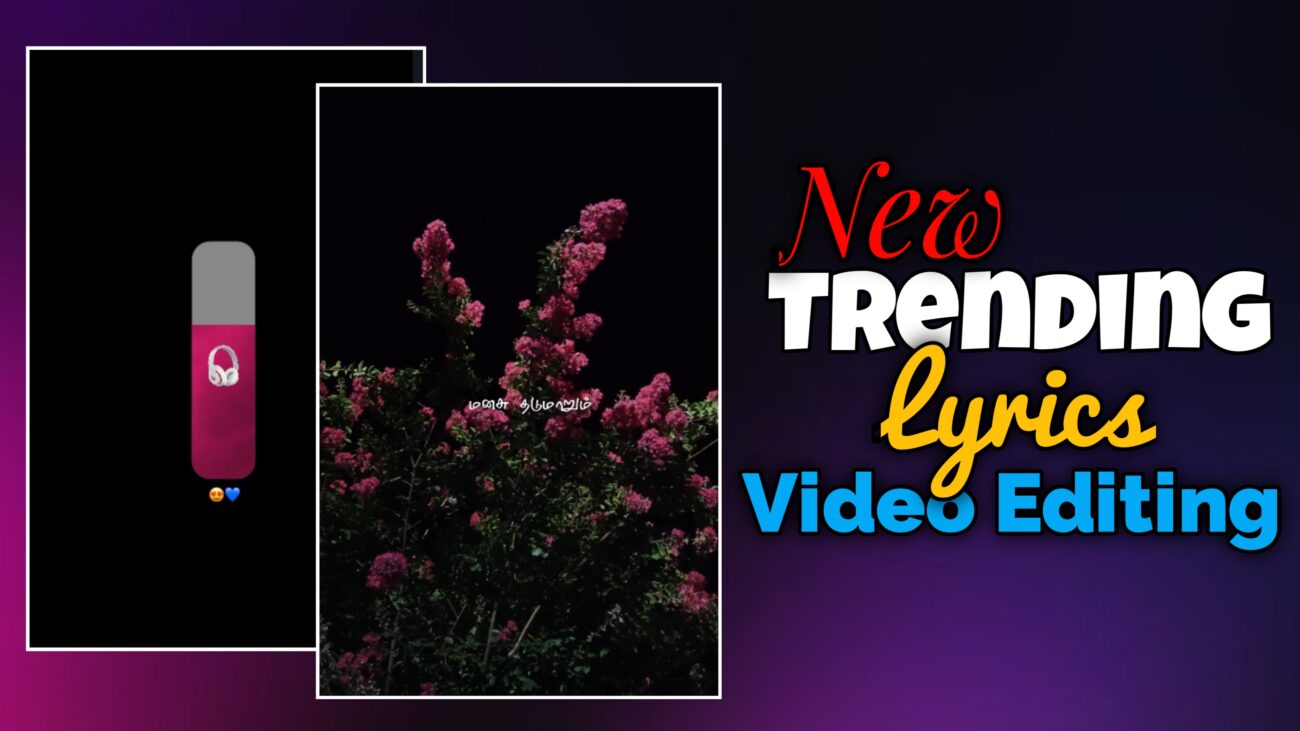
Instagram Reels-ல இப்போ unique & viral lyrics videos ரொம்ப trend ஆகிட்டு இருக்கு. Simple lyrics-ஐ plain-ஆ காட்டுற காலம் முடிஞ்சு, இப்போ creators எல்லாரும் advanced visual effects, smooth animations, fractal distortions மாதிரி techniques use பண்ணி reels-ஐ next level-க்கு கொண்டு போறாங்க.
இந்த professional guide-ல, Alight Motion app use பண்ணி எப்படி ஒரு new viral lyrics reel-ஐ basic setup-ல இருந்து unique fractal effects வரைக்கும் step-by-step-ஆ edit பண்ணலாம் என்பதைக் clearly explain பண்ணப் போறோம்.
Beginner-ஆ இருந்தாலும் சரி, intermediate editor-ஆ இருந்தாலும் சரி – இந்த tutorial உங்க editing quality-ஐ definitely improve பண்ணும்.
H2: New Viral Lyrics Reel Editing என்றால் என்ன?
New viral lyrics reel editing என்பது:
- Smooth text animations
- Beat-ku perfect-ஆ sync ஆன lyrics
- Unique visual effects (Fractal Warp, Color grading)
- Clean & professional finishing
இந்த style-ல:
- Over editing இருக்காது
- Aesthetic distortion இருக்கும்
- Viewer attention first 2 seconds-லேயே grab ஆகும்
அதனால தான் இந்த format Instagram Reels-ல romba fast-ஆ trend ஆகுது.
H2: Project Setup & Basic Workspace Configuration
High-quality output கிட்டணும்னா, workspace setup தான் foundation. Initial settings correct-ஆ இருந்தா தான் final video professional-ஆ look தரும்.
H3: App Selection – Why Alight Motion?
இந்த viral lyrics editing-க்கு:
- Alight Motion best choice
Reason:
- Advanced layer control
- Keyframe-based animations
- Powerful visual effects (Fractal Warp, Distortion)
Idhu professional mobile editing-க்கு romba suitable.
H3: Resolution, Aspect Ratio & Frame Rate
Instagram Reels-க்கு recommended settings:
- Aspect Ratio: 9:16
- Resolution: 1080p (Full HD)
- Frame Rate:
- 30fps → Normal smooth
- 60fps → Extra smooth (lyrics animation-க்கு best)
Correct settings use pannina:
- Video crisp-ஆ theriyum
- Export panna appuram quality loss varadhu
H3: Audio Import & Beat Marking
- Ungalukku vendiya trending song-ஐ import pannunga
- Lyrics start aagura idangal-ல Markers add pannunga
Markers use pannina benefits:
- Lyrics timing confuse aagathu
- Animations accurate-ஆ irukkum
- Editing speed fast-ஆ aagum
Viral reels-ல beat sync romba mukkiyam.
H2: Advanced Visual Effects & Styling
இந்த video-oda main attraction என்பது unique visual effects தான். Simple background-கூட correct effects add pannina cinematic-ஆ change aagum.
H3: Fractal Warp Effect – Viral Look Creator
- Background visual-க்கு
- Illatti text-க்கு
Fractal Warp effect add pannalaam.
Benefits:
- Smooth wave distortion
- Aesthetic premium feel
- Ordinary visuals-ஐ unique-ஆ mathum
Subtle-ஆ use pannina thaan professional-ஆ irukkum.
H3: Color Correction & iPhone-Style Look
- Saturation
- Contrast
- Brightness
ivai ellathaiyum video vibe-க்கு etha maari adjust pannunga.
Correct color correction:
- Video-க்கு iPhone cinematic feel kudukkum
- Instagram compression-லயும் video nalla theriyum
Over-saturation avoid pannunga.
H3: Layer Grouping for Clean Workflow
- Multiple effects use pannum pothu
- Text + background + overlays ellam
Group pannina:
- Timeline neat-ஆ irukkum
- Effects manage panna easy-ஆ irukkum
- Editing mistakes koraiyum
Professional editors ellarum group usage follow pannuvaanga.
H2: Typography & Smooth Lyrics Animation
Lyrics thaan intha reel-oda soul. Correct font + smooth animation irundha thaan reel viral aagum.
H3: Font Selection – Professional Look
- Stylish fonts (example: Font 88)
- Bold fonts mostly professional-ஆ theriyum
Font select pannum pothu:
- Readability
- Mobile screen-la clarity
ivai rendu-யும் romba mukkiyam.
H3: Lyrics Alignment & Composition
- Lyrics-ஐ type pannitu
- Screen-ல background visuals-க்கு etha maari align pannunga
Center alignment illatti:
- Rule of thirds follow pannalaam
Correct alignment na reel-க்கு balanced look varum.
H3: Fade In & Fade Out Animation
Lyrics sudden-ஆ appear aagurathu avoid pannunga.
Steps:
- Opacity / Visibility section-க்கு pogunga
- Fade In / Fade Out add pannunga
Benefits:
- Smooth entry
- Smooth exit
- Professional transition feel
Ithu viral lyrics reels-க்கு must-use effect.
H2: Professional Finishing & Final Output
Ellaa layers-um add pannina appuram, finishing stage thaan reel-ஐ professional-ஆ convert pannum.
H3: Sync Review Using Markers
- Markers reference-ஆ use panni
- Lyrics beat-க்கு correct-ஆ varutha nu check pannunga
Small delay kooda reel-oda feel-ஐ spoil pannum.
H3: Visual Balance & Opacity Control
- Effects romba strong-ஆ irundha
- Video messy-ஆ theriyum
So:
- Opacity konjam reduce pannunga
- Visual balance maintain pannunga
Less is more – intha rule-ஐ follow pannunga.
H3: Export Settings for Instagram Reels
Export panna munnadi:
- Full preview paathutu
- Audio + lyrics sync confirm pannunga
Export settings:
- 1080p
- High bitrate
- 9:16 format
Ippo video Instagram Reels-க்கு ready 🚀
H2: Editing Summary Checklist
| Category | Recommended Tool / Effect | Purpose |
|---|---|---|
| Project Setup | Alight Motion (9:16) | Platform optimization |
| Visual Effects | Fractal Warp | Aesthetic distortion |
| Text Animation | Fade In / Fade Out | Smooth transitions |
| Color | Color Correction | Professional look |
| Output | 1080p Export | High quality result |
H2: Final Thoughts
New viral lyrics reel editing-ல success vara:
- Consistent practice
- Beat sync understanding
- Clean animations
- Subtle effects usage
romba mukkiyam.
Alight Motion-ல intha techniques-ஐ regular-ஆ practice pannina:
- Editing speed increase aagum
- Creative confidence improve aagum
- Reels quality professional-ஆ maarum
இந்த guide follow பண்ணி neengalum unique & viral lyrics reels easy-ஆ create pannalaam 🔥
