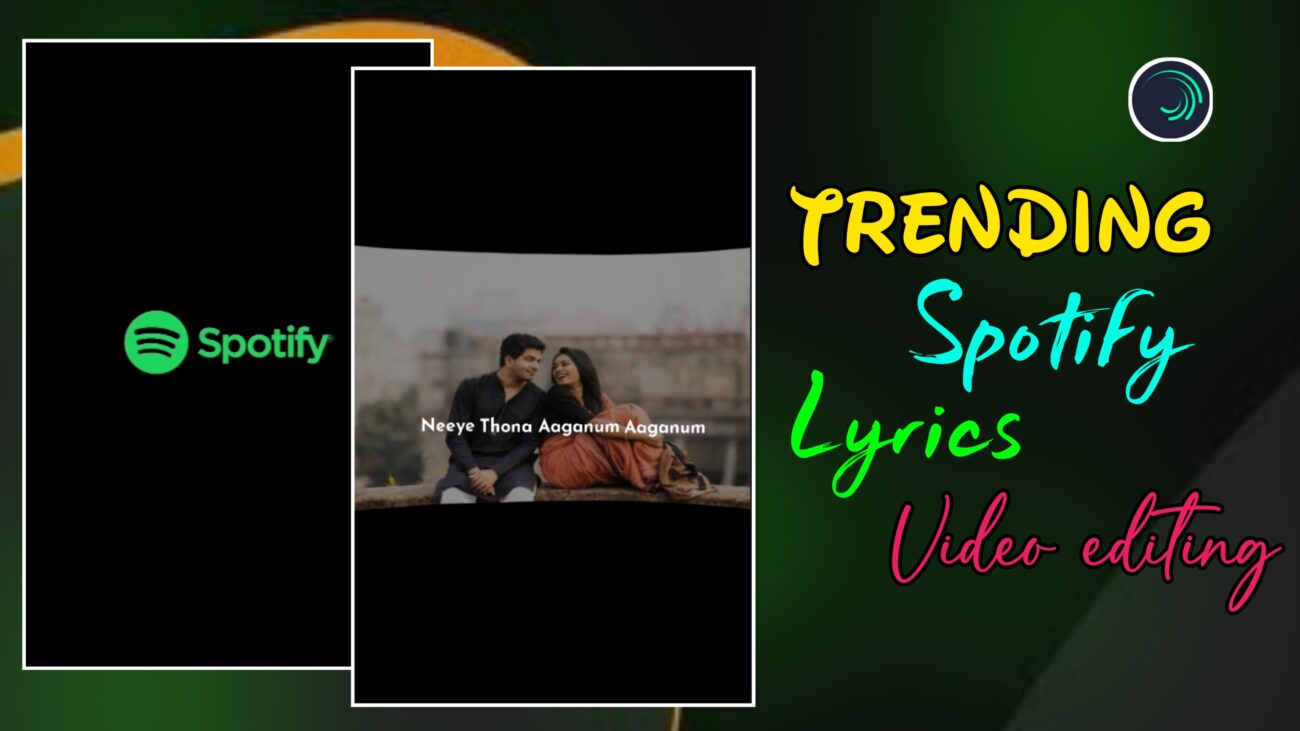
Spotify Style Trending Lyrics Reel Editing – A Professional Blog Guide
Instagram Reels-ல இப்போ ரொம்ப popular-ஆ trend ஆகிட்டு இருக்குற format தான் Spotify Lyrics Style Reels. Spotify app-ல lyrics scroll ஆகுற மாதிரி, clean UI-உடன், smooth background effects + perfectly synced text animations இருந்தா அந்த reel instantly premium-ஆ feel தரும்.
இந்த blog article-ல, Alight Motion use பண்ணி எப்படி ஒரு professional Spotify style trending lyrics reel create பண்ணலாம் என்பதை basic setup-ல இருந்து advanced effects வரை step-by-step-ஆ explain பண்ணப் போறோம்.
Beginner-ஆ இருந்தாலும் சரி, intermediate editor-ஆ இருந்தாலும் சரி – இந்த guide உங்களுக்கு clearly helpful-ஆ இருக்கும்.
H2: Spotify Style Lyrics Reel என்றால் என்ன?
Spotify style lyrics reel என்பது:
- Minimal design
- Clean typography
- Smooth wave / distortion background
- Beat-ku perfect-ஆ sync ஆன lyrics
இவை எல்லாம் சேர்ந்த ஒரு modern aesthetic editing style.
இந்த style-ல:
- Over animations இருக்காது
- Simple + classy look இருக்கும்
- Viewers-க்கு Spotify app-la lyrics paakura feeling கிடைக்கும்
அதனால தான் இப்போ Instagram-ல இந்த format romba trend ஆகுது.
H2: Project Setup & Spotify Template Preparation
Oru professional video-ku workspace correct-ஆ configure pannina தான் editing smooth-ஆ pogum.
H3: New Project Creation in Alight Motion
- Modhalla Alight Motion app-ஐ open pannunga
- Plus (+) icon-ஐ click panni new project start pannunga
Recommended settings:
- Aspect Ratio: 9:16 (Instagram Reels)
- Resolution: 1080p (Full HD)
- Frame Rate:
- 30fps → Normal smooth
- 60fps → Extra smooth (lyrics animation-க்கு best)
Ithu ellam correct-ஆ set pannina, export panna appuram quality loss varadhu.
H3: Spotify Template Adding & Timing Adjustment
Spotify style reel-oda starting-la:
- Spotify player mathiri oru intro template irukkum
Steps:
- Template-ai add pannunga
- Song-oda intro length-க்கு etha maari
- Timer icon use panni
- Expand / Cut pannunga
Intro romba long-ஆ irundha reel boring-ஆ irukkum, so timing balance romba mukkiyam.
H3: Audio Import & Lyrics Marking
- Ungalukku pidicha song audio-வை import pannunga
- Ovvoru lyrics line-kum Markers add pannunga
Markers use pannina benefits:
- Lyrics sync easy-ஆ irukkum
- Animation timing accurate-ஆ irukkum
- Editing speed fast-ஆ aagum
Spotify style reels-ல sync romba important.
H2: Background Image & Advanced Distortion Effects
Spotify style reel-oda soul-eh background image thaan. Simple image-kooda correct effects add pannina cinematic-ஆ change aagum.
H3: Image Masking (Optional but Professional)
- Image vertical full-size-ஆ irundha
- Oru Rectangle shape add pannunga
- Group & Mask option use panni
- Image-ai neat-ஆ oru frame-kulla kondu varalaam
Ithu reel-க்கு premium Spotify UI feel kudukkum.
H3: Squeeze Effect – Adding Depth
- Image layer select pannunga
- Distortion & Warp section-ku pogunga
- Squeeze effect add pannunga
Recommended value:
-0.10 to -0.15
Ithu:
- Image-ku slight curve look kudukkum
- Flat image-ஐ depth-உடன் attractive-ஆ mathum
Over value kuduthaa image unnatural-ஆ theriyum, so subtle-ஆ use pannunga.
H3: Fractal Warp – Smooth Wave Background
Spotify style-ல romba important effect:
Key Settings:
- Position:
- Start & End-ல keyframes add pannunga
- Y-axis value-ஐ ~2500+ vara increase pannunga
- Magnitude:
0.010 – 0.020(soft wave)
- Detail:
0.75
- Screen Space:
- Must be ON
Ithu:
- Background smooth-ஆ wave aaga
- Spotify premium animation feel kudukka help pannum
H2: Lyrics Typography & Professional Sync
Lyrics thaan intha reel-oda core element. Spotify style-ல typography romba clean-ஆ irukkanum.
H3: Font Selection & Size
- Intha style-க்கு Josefin Sans Bold romba perfect
- Font Size: Approx
16
Ithu:
- Spotify app UI-mathiri feel kudukkum
- Mobile screen-ல readable-ஆ irukkum
Too fancy fonts avoid pannunga – minimal fonts thaan Spotify style-oda beauty.
H3: Layer Duplication for Consistency
- First lyrics line create pannunga
- Athaiye Duplicate pannunga
- Next lyrics-க்கு text mattum change pannunga
Benefits:
- Alignment same-ஆ irukkum
- Spacing consistent-ஆ irukkum
- Time save aagum
H3: Fade In & Fade Out – Smooth Lyrics Entry
Lyrics sudden-ஆ pop aagurathu Spotify style-க்கு suit aagathu.
So:
- Fade In / Fade Out effect add pannunga
- In & Out values-ஐ approx
0.20-la vachukkonga
Ithu lyrics-க்கு:
- Smooth entry
- Calm exit
- Professional polish
kudukkum.
H2: Visual Balance & Final Output
Editing mudincha appuram, final checks romba mukkiyam.
H3: Opacity Adjustment for Readability
- Background image romba bright-ஆ irundha
- Lyrics clear-ஆ theriyathu
So:
- Image-oda Opacity-ஐ konjam reduce pannunga
Ithu:
- Lyrics highlight aaga
- Eye strain koraiya
- Professional readability kudukka help pannum
H3: Image Selection Tip
- Dark images-vida
- Colorful images-ல
- Squeeze
- Wave (Fractal Warp)
effects romba clear-ஆ theriyum.
So image select pannum pothu idhai mind-la vachikkonga.
H3: Exporting for Instagram Reels
Everything ready-ana udan:
- Full video preview pannunga
- Lyrics + audio perfect-ஆ sync-la irukka check pannunga
Export settings:
- 1080p
- High bitrate
- 9:16 format
Ippo video Instagram Reels / WhatsApp Status-க்கு ready 🚀
H2: Spotify Style Essentials Checklist
| Technical Term | Recommended Setting | Purpose |
|---|---|---|
| Squeeze | -0.15 | Subtle curve depth |
| Fractal Warp Y | 2500+ (Keyframed) | Moving wave background |
| Screen Space | ON | Smooth warp sync |
| Font Size | 16 | Spotify UI feel |
| Fade Value | 0.20 | Smooth lyric transition |
H2: Final Thoughts
Spotify Style Lyrics Reel Editing என்பது:
- Minimal design
- Clean typography
- Smooth background effects
இதெல்லாம் perfect-ஆ balance pannura oru premium editing style.
Regular-ஆ practice pannina:
- Editing speed increase aagum
- Effects understanding improve aagum
- Reels quality professional-ஆ maarum
இந்த tutorial follow பண்ணி neengalum aesthetic Spotify lyrics reels easy-ஆ create pannalaam 🎧
