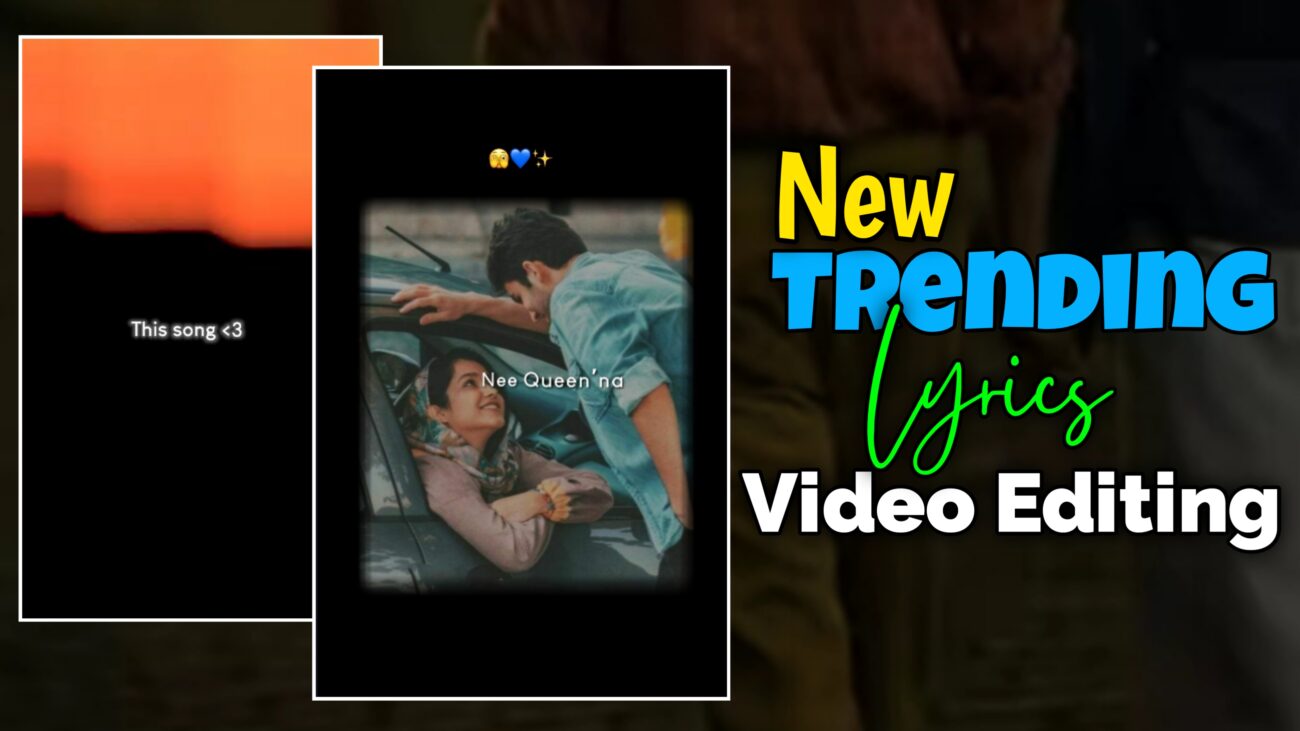
Instagram Reels-ல இப்போ viral-ஆ trend ஆகுற lyrics reels எல்லாமே ஒரே common point share பண்ணுது –
👉 smooth visuals,
👉 cinematic masking,
👉 clean typography,
👉 natural motion effects.
Static image + plain lyrics என்ற காலம் முடிஞ்சுடிச்சு. 2025-ல audience expect பண்ணுறது professional-looking reels. அதுக்காக தான் creators எல்லாரும் Alight Motion use பண்ணி advanced effects மாதிரி masking, directional blur, smooth zoom, lyric transitions எல்லாம் implement பண்ணுறாங்க.
இந்த tutorial-ல, basic project setup-ல இருந்து professional masking & directional blur effects வரை, step-by-step-ஆ எப்படி ஒரு new viral lyrics reel create பண்ணலாம் என்பதை detailed-ஆ பார்க்கலாம்.
Project Setup & Intro Animation
Professional quality output கிடைக்கணும்னா, editing start பண்ணுறதுக்கு முன்னாடி project setup correct-ஆ இருக்கணும். Initial setup wrong-ஆ இருந்தா, later effects எல்லாம் apply பண்ணினாலும் video professional-ஆ தெரியாது.
Alight Motion app-ஐ open பண்ணிட்டு, new project create பண்ணுங்க.
Instagram Reels-க்கு best settings:
- Aspect Ratio – 9:16
- Resolution – 1080p (Full HD)
- Frame Rate – 30fps அல்லது 60fps
இந்த settings video-க்கு crisp clarity தரும்.
Project ready ஆனதும், video-வோட starting-ல ஒரு small intro add பண்ணலாம். Example-ஆ **“This Song”**ன்னு oru stylish text.
இந்த tutorial-ல Louis George Café Bold font use பண்ணுறோம். White color use பண்ணினா almost ellா background-க்கும் suit ஆகும்.
Intro-வை innum cinematic-ஆ feel தரணும்னா, namma kudutha overlay template-ஐ add பண்ணி, -90 degree-க்கு rotate பண்ணி, blending option-ல Screen select பண்ணலாம்.
இதனால் harsh overlay இல்லாமல் smooth cinematic light effect கிடைக்கும்.
Professional Masking & Image Animation
இந்த reel-oda main attraction என்னன்னா, oru specific shape-க்குள்ள image smooth-ஆ animate ஆகுறது. இதுதான் professional masking technique.
First-ஆ oru rectangular shape add பண்ணுங்க. Shape-ஐ screen center-ல align பண்ணணும்.
இதே shape தான் image display area-ஆ work ஆகும்.
Next, ungalukku pidicha image-ஐ add பண்ணி, அந்த image-ஐ shape-க்கு below layer-ஆ move பண்ணுங்க.
Ippo image shape-க்கு பின்னாடி இருக்கும்.
Image animation smooth-ஆ irukkanum na, sila supporting effects romba important.
Tiles Effect
Image move aagum போது black gaps / edges avoid பண்ண Tiles effect-ஐ ON பண்ணுங்க.
Especially zoom animation use பண்ணும் போது idhu mandatory.
Directional Blur
Image entry-க்கு cinematic feel venumna, Directional Blur add பண்ணலாம்.
Angle-ஐ 90 degree-ஆ set பண்ணி, starting-ல oru keyframe add பண்ணினா blur-oda intensity smooth-ஆ reduce aagum.
Ithu “camera motion” feel create பண்ணும்.
Zoom In / Zoom Out Animation
Scale option-ல keyframes set பண்ணி, zoom-in & zoom-out effect create பண்ணலாம்.
Keyframes-க்கு Easing Curves / Graph adjust பண்ணினா movement romba natural-ஆ feel தரும்.
Linear movement avoid பண்ணுங்க – curves thaan professional secret.
Ellா ready ஆனதும், image layer + shape layer select பண்ணி Group & Mask apply பண்ணுங்க.
Ippo image shape-க்குள்ள மட்டும் animate ஆகும் – clean, premium look guaranteed.
Stylish Lyrics & Typography Transitions
Lyrics தான் intha reel-oda soul.
One-shot-ஆ full sentence type பண்ணுறதுக்கு பதிலா, word-by-word animation use பண்ணினா reel instantly viral-feel தரும்.
Lyrics add பண்ணும்போது:
- Single layer-ஆ type பண்ணாதீங்க
- Words-ஐ split பண்ணுங்க
Example:
“Aasai Kooda” என்ற lyric இருந்தா,
“Aasai” – oru layer
“Kooda” – oru layer
இதனால் words individual-ஆ animate ஆகும்.
Movement animation-க்கு Move & Transform option use பண்ணி keyframes set பண்ணுங்க.
Words pinnadi irundhu slide aagi, ondru-ku pinnadi ondru varra maari timing adjust பண்ணலாம்.
Intha staggered timing thaan reel-க்கு flow kudukkum.
Smooth transitions-க்கு:
Fade In Effect
Lyrics smooth-ஆ appear aaganum na, Fade In add பண்ணி value-ஐ approx 10–20 range-ல வைங்க.
Directional Blur for Exit
Lyrics mudiyum போது, blur aagi poga Directional Blur-க்கு keyframes add பண்ணலாம்.
Ithu professional exit animation feel தரும்.
Innum premium look-க்காக, iPhone-style emojis add பண்ணலாம்.
Emoji File font use பண்ணி emojis add பண்ணினா, video-வோட overall aesthetic romba increase ஆகும்.
Overuse pannாதீங்க – one or two emojis enough.
Professional Finishing & Final Output
Ella layers-ஐ add பண்ணியாச்சுனா, final-ஆ sync review romba important.
Song beat-க்கு image animation, lyrics timing correct-ஆ varutha nu markers use பண்ணி check பண்ணுங்க.
Video innum clean-ஆ theriyanum na:
- Slight color correction
- Brightness / contrast adjust
pannலாம். Over edit avoid பண்ணுங்க.
Export panna time-ல:
- Resolution – 1080p
- Aspect Ratio – 9:16
- High quality / high bitrate
Intha settings Instagram compression-க்குப் பிறகும் clarity maintain பண்ணும்.
Quick Editing Summary
- Masking → Group & Mask (specific shape display)
- Image motion → Directional Blur + Scale
- Typography → Split layers animation
- Visual polish → Overlay + Screen blending
- Final output → 1080p export
Final Thoughts
New viral lyrics reel editing-ல success aaganum na:
- Smooth motion > fast motion
- Clean typography > heavy fonts
- Masking + subtle blur = professional look
Alight Motion-ல intha techniques-ஐ regular-ஆ practice பண்ணினா, unga reels quality automatic-ஆ improve ஆகும், audience trust build ஆகும், reach-உம் naturally grow ஆகும்.
இந்த tutorial follow பண்ணி neengalum professional-level viral lyrics reels easy-ஆ create பண்ணலாம் 🔥
