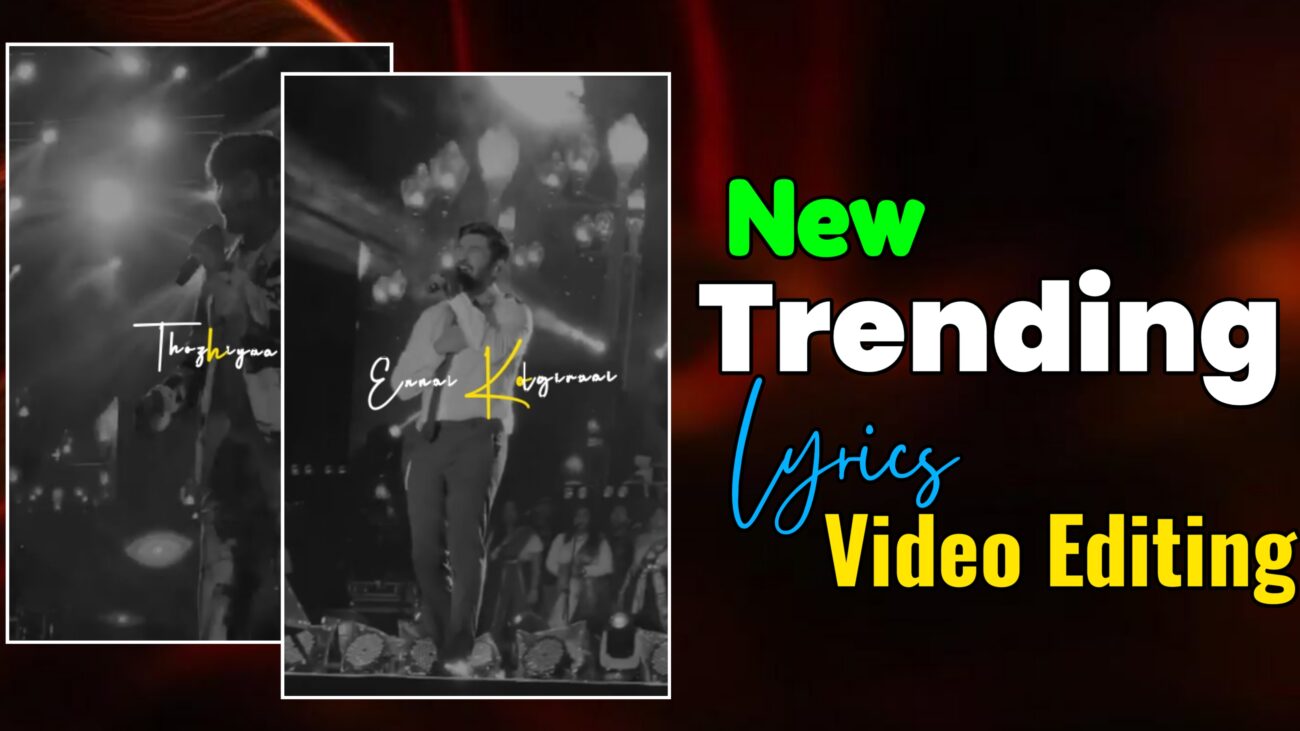
Instagram Reels-ல் 2025-க்கு வந்ததும் lyrics video editing ஒரு சாதாரண trend இல்ல. இப்போது creators எல்லாரும் smooth sliding typography, aesthetic color-changing text, cinematic black & white backgrounds, மற்றும் dynamic rotation animations பயன்படுத்தி reels-ஐ professional level-க்கு கொண்டு செல்கிறார்கள். Simple lyrics display மட்டும் போதாது; visuals-க்கும் motion-க்கும் proper balance இருந்தால் தான் reel audience-ஐ பிடிக்கும்.
இந்த article-ல், Alight Motion app பயன்படுத்தி எப்படி ஒரு 2025 trending lyrics reel உருவாக்கலாம் என்பதை project creation முதல் sliding animation, word-by-word color highlight, background customization, final export வரை முழுமையாக step-by-step-ஆ பார்க்கலாம். Beginner ஆக இருந்தாலும் சரி, already editing செய்து கொண்டிருக்கும் creator ஆக இருந்தாலும் சரி — இந்த workflow உங்களுக்கு clear direction தரும்.
Project Setup & Typography Preparation
Professional output பெற முதலில் project settings சரியாக இருக்க வேண்டும்.
Alight Motion open செய்து Create Project option select செய்யுங்கள். Instagram Reels-க்கு best settings:
- Aspect Ratio – 9:16
- Resolution – 1080p
- Frame Rate – 30fps அல்லது 60fps
இந்த settings video clarity மற்றும் smoothness இரண்டையும் improve செய்யும்.
Project create செய்த பிறகு, lyrics add செய்ய Plus icon click செய்யுங்கள். Lyrics type செய்யும்போது ஒவ்வொரு line-க்கும் first letter capital format-ல் எழுதுங்கள் (example: Unnala Kayam). இது professional readability-க்கு உதவும்.
இந்த tutorial-ல் Henderson K7 Got font பயன்படுத்துகிறோம். Font size-ஐ minimum 64 வரை increase செய்யுங்கள். Mobile screen-ல் lyrics bold-ஆவும் clear-ஆவும் தெரிய இந்த size perfect.
Text color white-ஆ set செய்யுங்கள். Song import செய்த பிறகு lyrics start ஆகும் இடங்களில் markers add செய்து layers-ஐ cut அல்லது expand செய்யுங்கள். Markers use செய்தால் lyrics timing accurate-ஆ இருக்கும்.
Smooth Sliding & Rotation Animation
2025 trending reels-ல் main attraction என்னவென்றால் smooth sliding motion.
Lyrics layer select செய்து Move & Transform option open செய்யுங்கள். Starting position-ல் ஒரு keyframe, middle-ல் இன்னொரு keyframe, ending-ல் இன்னொரு keyframe add செய்யுங்கள். First lyrics-ஐ left side-க்கு move செய்து, transitions smooth-ஆ இருக்க Easing Graphs apply செய்யுங்கள். Linear movement avoid செய்து curves use செய்தால் cinematic feel கிடைக்கும்.
Next lyrics group-க்கு first lyrics effects copy செய்து paste செய்யுங்கள். அந்த group-ஐ right side-க்கு move செய்யுங்கள். இதனால் alternating sliding effect கிடைக்கும். Left → Right → Left pattern reel-க்கு dynamic flow தரும்.
Lyrics-க்கு extra motion add செய்ய Rotation option use செய்யுங்கள். Starting-ல் –15 degree, ending-ல் +15 degree set செய்யுங்கள். இந்த small rotation text-க்கு swinging motion கொடுத்து reel-ஐ lively-ஆ மாற்றும். Rotation values subtle-ஆ இருக்க வேண்டும்; அதிகமாக வைத்தால் text distracting-ஆ தெரியும்.
Advanced Text Transform & Color Highlight
இந்த section-ல் trending word-by-word color highlight effect எப்படி create செய்வது என்று பார்க்கலாம்.
First, lyrics layer-க்கு Text Spacing effect add செய்து letter spacing-ஐ 5 range-ல் set செய்யுங்கள். இதனால் letters breathe செய்யும் மாதிரி feel வரும்.
Next, Text Transform effect select செய்து Override Fill Color option ON செய்யுங்கள். Highlight color-ஆ yellow அல்லது உங்களுக்கு பிடித்த bright color select செய்யுங்கள்.
இப்போது Progress (Start & End) parameters-க்கு keyframes add செய்யுங்கள். Start value 0, End value 100 என்று set செய்து animation timing lyrics slide-க்கு match ஆக adjust செய்யுங்கள். இதனால் lyrics move ஆகும் போது words sequential-ஆ highlight ஆகும்.
Highlight இன்னும் attractive-ஆ இருக்க Transform section-ல் Scale value-ஐ 1.10 வரை increase செய்யுங்கள். Highlight வரும் moment-ல் text light-ஆ zoom ஆகும். இது subtle emphasis create செய்யும்.
Background Customization & Visual Focus
Lyrics clear-ஆ highlight ஆக background-ஐ properly customize செய்ய வேண்டும்.
Background video add செய்த பிறகு Saturation & Vibrance effect use செய்து saturation-ஐ முழுவதும் reduce செய்யுங்கள். இதனால் black & white cinematic look கிடைக்கும். Colorful background-க்கு பதிலாக monochrome background இருந்தால் lyrics focus automatically increase ஆகும்.
Next, background layer-oda Opacity-ஐ 55% to 60% range-ல் set செய்யுங்கள். Background slightly faded-ஆ இருந்தால் text foreground-ல் pop ஆகும்.
Multiple lyrics layers இருக்கும்போது ஒரே effects repeat செய்ய time waste ஆகும். அதனால் ஒரு layer-க்கு effects apply செய்த பிறகு, அந்த layer-ஐ copy செய்து மற்ற lyrics layers-க்கு paste செய்யுங்கள். இது workflow speed-ஐ double செய்யும்.
Final Review & Export
Final export முன் full preview செய்து கீழ்கண்ட விஷயங்களை check செய்யுங்கள்:
- Lyrics sliding smooth-ஆ நடக்கிறதா
- Rotation subtle-ஆ இருக்கிறதா
- Word-by-word color highlight timing correct-ஆ உள்ளதா
- Background opacity lyrics-ஐ properly focus செய்கிறதா
Small brightness அல்லது contrast adjustment தேவைப்பட்டால் இங்கே செய்யுங்கள். Over color grading avoid செய்யுங்கள்.
Export settings:
- Resolution – 1080p
- Aspect Ratio – 9:16
- High quality / high bitrate
Export முடிந்ததும் video Instagram Reels upload செய்ய ready.
Editing Summary Checklist
- Move & Transform + Easing Graphs → Smooth sliding motion
- Text Transform (Override Fill Color) → Word-by-word color change
- Henderson K7 Got (Size 64) → Bold & aesthetic typography
- Saturation fade + Opacity (60%) → Cinematic background focus
- Copy–paste workflow → Faster editing
Final Thoughts
2025 trending lyrics reels-ல் success பெற:
- Smooth sliding motion prioritize செய்யுங்கள்
- Clean bold typography select செய்யுங்கள்
- Color highlights subtle-ஆ வைத்துக்கொள்ளுங்கள்
- Black & white backgrounds பயன்படுத்தி lyrics-க்கு focus கொடுங்கள்
இந்த techniques-ஐ Alight Motion-ல் தொடர்ந்து practice செய்தால், உங்கள் reels quality professional level-க்கு உயரும், audience retention மேம்படும், reach இயல்பாக அதிகரிக்கும்.
இந்த guide follow செய்து நீங்களும் 2025 trending professional lyrics reels எளிதாக create செய்யலாம் 🔥
