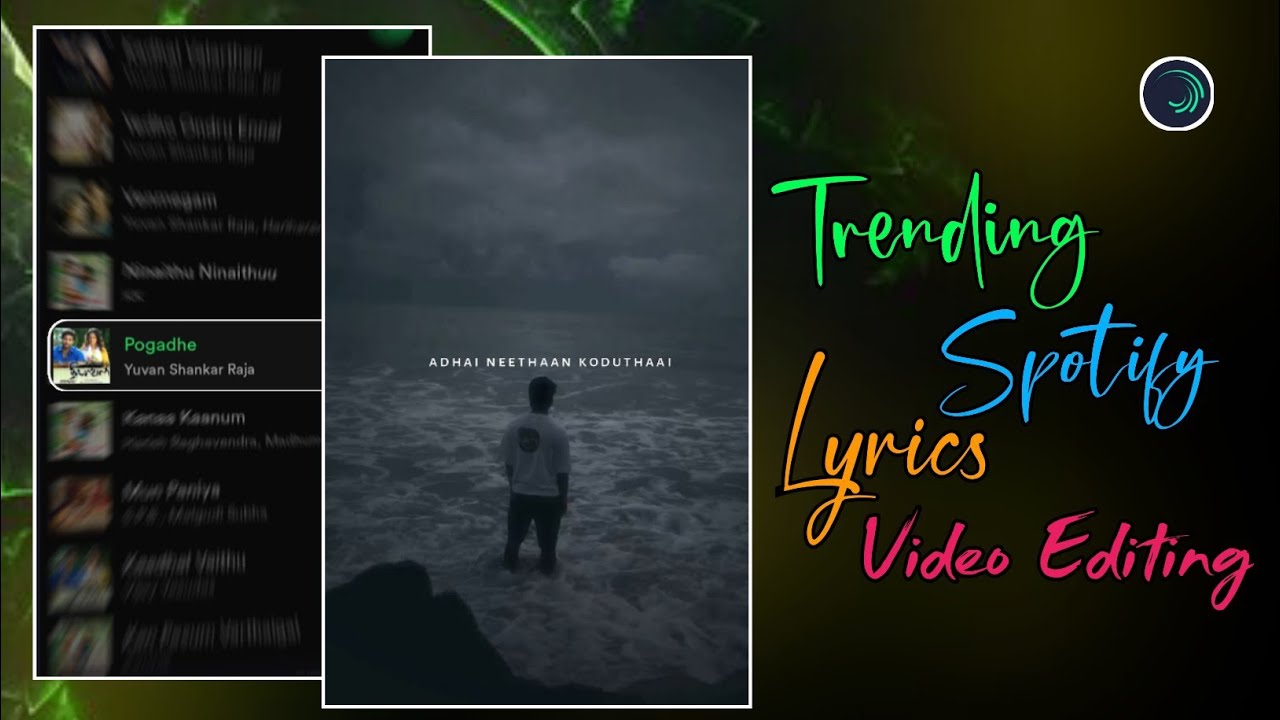
Instagram Reels-லும் YouTube Shorts-லும் 2025-ல் romba fast-ஆ viral ஆகுற formats-ல ஒன்று தான் Spotify Style Lyrics Videos. Normal lyrics reels-க்கு பதிலா, இப்போ creators எல்லாரும் Spotify player layout, floating background motion, masking animation, smooth sliding lyrics, wipe transitions போன்ற techniques பயன்படுத்தி reels-ஐ professional cinematic level-க்கு கொண்டு போகிறார்கள்.
இந்த article-ல், Chutti Tech Tamil tutorial base பண்ணி, Alight Motion app பயன்படுத்தி எப்படி ஒரு Spotify style trending lyrics video create செய்யலாம் என்பதை preparation முதல் final lyrics animation வரை step-by-step-ஆ பார்க்கலாம்.
Spotify Layout Preparation & Project Setup
இந்த style-ல first step தான் Spotify layout prepare செய்வது.
முதலில் Spotify app open செய்யுங்கள். உங்களுக்கு பிடித்த song-ஐ search செய்து open செய்து, song play ஆகும் வரை wait செய்யுங்கள். Player bar green color-ல active-ஆ வந்ததும், அந்த screen-ஐ screenshot எடுக்கவும். இந்த screenshot தான் உங்கள் Spotify template.
அடுத்தது Alight Motion open செய்து new project create செய்யுங்கள்.
Recommended settings:
- Aspect Ratio – 9:16
- Resolution – 1080p
- Frame Rate – 30fps அல்லது 60fps
Project ready ஆனதும் Spotify screenshot-ஐ add செய்யுங்கள். Screenshot layer-ஐ select செய்து Fill Composition Area option apply செய்யுங்கள். இதனால் image full screen-ல perfect-ஆ fit ஆகும்.
Background Animation & Floating Effects
Spotify screenshot static-ஆ இருந்தால் reel boring-ஆ தெரியும். அதனால் subtle motion add செய்ய வேண்டும்.
3D Tilt Effect
Spotify image layer-க்கு:
Effects → 3D → Flip Layer
Angle value-ஐ –8 to –10 range-ல் set செய்யுங்கள். இதனால் image slight tilt ஆகி 3D depth feel கிடைக்கும்.
Vertical Floating Motion
Next step-ஆ image layer-க்கு Oscillate effect add செய்யுங்கள் (Move & Transform section).
Recommended values:
- Frequency – 1.0
- Magnitude – 4
இதனால் background slow-ஆ up & down float ஆகும். Over movement avoid செய்யுங்கள்; subtle motion தான் professional.
Blur Background Depth
Spotify image layer-ஐ duplicate செய்யுங்கள்.
Bottom layer-க்கு Zoom Blur effect add செய்யுங்கள். Top layer clear-ஆ இருக்கும், bottom layer blur-ஆ glow மாதிரி work செய்யும். இந்த trick background-க்கு cinematic depth கொடுக்கும்.
Spotify Search / Selection Animation (Masking Technique)
இந்த step Spotify “song selection” feel create செய்யும்.
First-ஆ oru square shape add செய்யுங்கள். Shape-ஐ resize செய்து song title area cover ஆகும் மாதிரி adjust செய்யுங்கள். Corners smooth-ஆ இருக்க Radius value increase செய்யலாம்.
Shape layer-க்கு position keyframes add செய்யுங்கள்:
- First keyframe – screen top
- Middle keyframe – halfway
- Final keyframe – selected song title area
இதனால் shape top-ல இருந்து கீழே slide ஆகி song-ஐ “select” செய்கிற மாதிரி animation வரும்.
இப்போ shape layer + Spotify image (top layer) select செய்து Group & Mask apply செய்யுங்கள். Mask border add செய்தால் selection area இன்னும் clear-ஆ pop ஆகும்.
இந்த masking animation Spotify UI experience-ஐ reel-ல recreate செய்ய உதவும்.
Background Visuals for Lyrics Section
Spotify selection animation முடிந்ததும் lyrics section start ஆகும்.
Background-க்கு oru video clip அல்லது image add செய்யுங்கள். Layer-ஐ Fill Composition Area apply செய்யுங்கள்.
Smooth entry & exit-க்கு:
- Fade In / Fade Out effect add செய்யுங்கள்
இதனால் lyrics part cinematic-ஆ appear & disappear ஆகும்.
Background bright-ஆ இருந்தால் opacity slight-ஆ reduce செய்யலாம், lyrics focus improve ஆகும்.
Typography & Lyrics Styling
Lyrics professional-ஆ look தர font selection romba important.
இந்த style-க்கு recommended font:
- Algeria Sans SC Medium
- Color – White
- Size – approx 14 (lyrics length-க்கு adjust செய்யலாம்)
Lyrics add செய்த பிறகு spacing balanced-ஆ இருக்க Text Spacing effect use செய்யுங்கள். Long lyrics-க்கு spacing konjam reduce செய்யலாம், short lyrics-க்கு spacing konjam increase செய்யலாம்.
Wipe Reveal & Sliding Lyrics Animation
Spotify style reels-ல main attraction தான் wipe + sliding lyrics.
Wipe Transition
Lyrics layer-க்கு:
Effects → Matte / Mask → Wipe
Settings:
- Mode – Transition in Right
- Feather – 25 to 30
இதனால் lyrics soft-ஆ reveal ஆகும். Feather value smooth edge create செய்யும்.
Sliding Motion with Keyframes
Lyrics layer-க்கு position-ல் three keyframes add செய்யுங்கள்:
- Start – outside screen (right side)
- Middle – center (slightly left)
- End – outside screen (left side)
Middle keyframe-ஐ konjam left move செய்து Easing Graph apply செய்யுங்கள். Linear movement avoid செய்து curves use செய்தால் lyrics smooth-ஆ slide ஆகும்.
இந்த sliding + wipe combo தான் Spotify lyrics reels-ன் signature look.
Sync & Workflow Optimization
Song import செய்த பிறகு lyrics start ஆகும் places-ல markers add செய்யுங்கள். Each lyric layer-ஐ marker-க்கு match ஆக cut அல்லது expand செய்யுங்கள்.
First lyric perfect-ஆ sync ஆனதும், same animation timing-ஐ copy செய்து remaining lyrics-க்கு paste செய்யலாம். இதனால் full reel consistent rhythm maintain செய்யும்.
Fonts, effects, wipe settings எல்லாம் XML preset-ல இருந்து copy-paste செய்தால் workflow fast-ஆ இருக்கும்.
Final Review & Export
Final preview செய்து:
- Spotify selection animation smooth-ஆ play ஆகிறதா
- Floating background natural-ஆ இருக்கிறதா
- Lyrics wipe & sliding timing song beat-க்கு match ஆகிறதா
- Text readable-ஆ இருக்கிறதா
எல்லாம் check செய்யுங்கள்.
Export settings:
- Resolution – 1080p
- Aspect Ratio – 9:16
- High Quality / High Bitrate
Export முடிந்ததும் video Instagram Reels upload செய்ய ready.
Editing Summary Checklist
- Spotify screenshot → Fill Composition Area
- Flip Layer (–8 to –10) → 3D tilt
- Oscillate (1.0 / 4) → Floating motion
- Duplicate + Zoom Blur → Cinematic depth
- Shape masking → Song selection animation
- Algeria Sans SC Medium → Clean typography
- Wipe (Feather 25–30) → Smooth lyrics reveal
- Sliding keyframes + easing → Professional transitions
Final Thoughts
Spotify style lyrics reels 2025-ல் viral ஆக முக்கியமான விஷயங்கள்:
- Subtle background motion
- Clean masking animation
- Smooth wipe + sliding lyrics
- Consistent timing
- Minimal but cinematic effects
இந்த workflow-ஐ Alight Motion-ல் தொடர்ந்து practice செய்தால், உங்கள் reels quality professional level-க்கு உயரும், audience retention improve ஆகும், reach இயல்பாக increase ஆகும்.
இந்த guide follow செய்து நீங்களும் Spotify style trending lyrics videos easy-ஆ create செய்யலாம் 🔥
