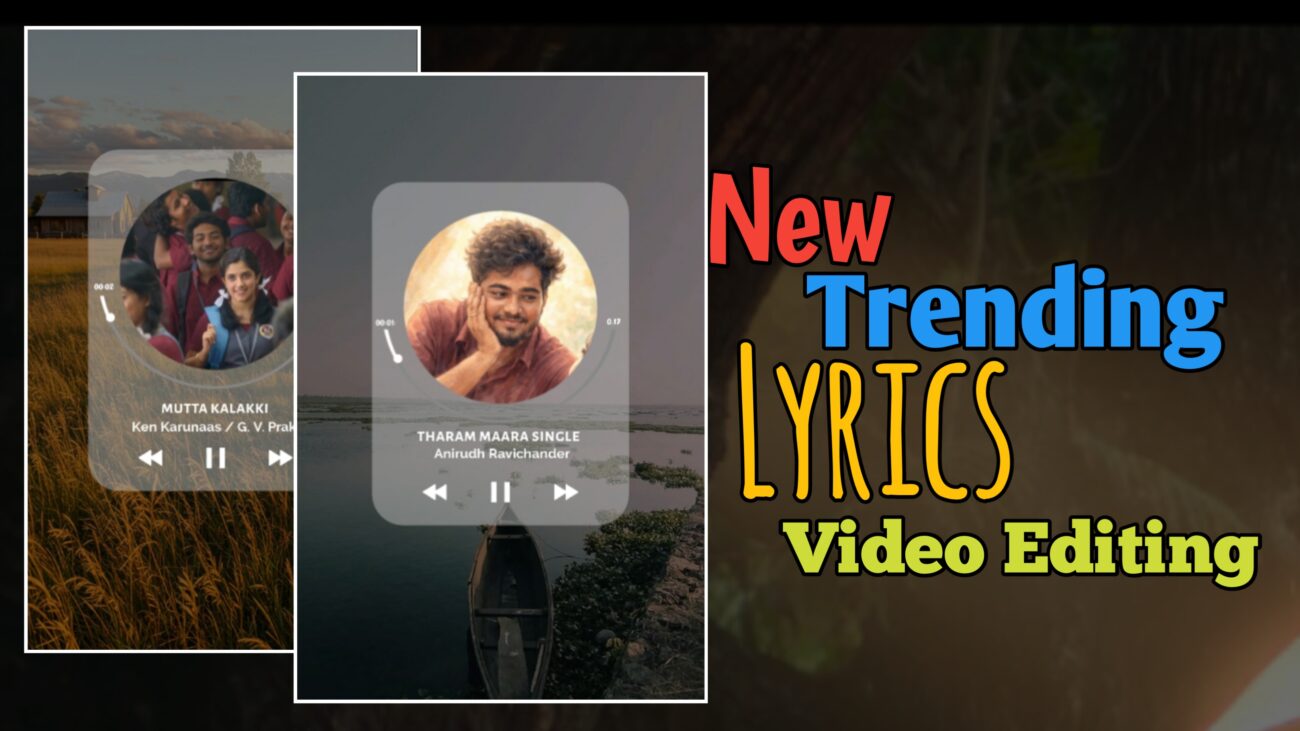
இன்றைய சமூக ஊடக உலகில் Instagram Reels மற்றும் YouTube Shorts போன்ற தளங்களில் பாடல் வரிகள் (lyrics) தோன்றும் வீடியோக்கள் மிகுந்த வரவேற்பைப் பெற்று வருகின்றன. ஒரு catchy song, அதோடு sync-ஆக வரும் animated lyrics, மற்றும் cinematic visuals — இந்த மூன்றும் சேர்ந்தால் ஒரு சாதாரண வீடியோ கூட viral ஆகும் வாய்ப்பு அதிகம். குறிப்பாக mobile editing வளர்ச்சி காரணமாக, இப்போது யாராலும் professional-looking videos உருவாக்க முடிகிறது. சரியான workflow மற்றும் creative approach இருந்தால், நீங்களும் ஒரு வெற்றிகரமான content creator ஆக முடியும்.
இந்த விரிவான கட்டுரையில், “Chutti Tech Tamil” tutorial-ல் கூறப்பட்ட editing concepts அடிப்படையில், Alight Motion app பயன்படுத்தி எப்படி ஒரு high-quality lyrics video உருவாக்கலாம் என்பதை அடுக்கு அடுக்காகப் பார்ப்போம். இது beginners-க்கும் intermediate editors-க்கும் உதவும் வகையில் நடைமுறை (practical) விளக்கங்களுடன் எழுதப்பட்டுள்ளது.
Alight Motion – Mobile Editing உலகின் சக்திவாய்ந்த கருவி
Video editing என்றாலே முன்னால் computer software-கள் தான் முதன்மை. ஆனால் இன்று mobile apps கூட அதே அளவுக்கு power கொண்டதாக மாறிவிட்டன. Alight Motion அதில் முக்கியமான ஒன்று. இது motion graphics, visual effects, keyframe animations போன்ற advanced features வழங்குகிறது. Layers, blending modes, masking, curves graph போன்ற தொழில்நுட்பங்களை mobile-ல் பயன்படுத்த முடியும் என்பதே இதன் பலம்.
Alight Motion-ஐ சரியாக பயன்படுத்தத் தெரிந்தால், சாதாரண text animation கூட cinematic feel பெறும். அதனால் தான் Instagram editors மத்தியில் இந்த app மிகவும் popular.
XML Files – Editing வேலையை வேகமாக்கும் ரகசியம்
Professional editing-ல் time save செய்வதற்கான முக்கியமான முறைகளில் ஒன்று XML presets. XML file என்பது ஒரு project-இன் முழு அமைப்பையும் (layers, effects, animations, timing) ஒரு single file-ஆக சேமிக்கும் வடிவம். இதை import செய்தால், முழு animation structure ready-ஆக கிடைக்கும்.
XML files பயன்படுத்துவதன் நன்மைகள்:
• Manual setup குறையும்
• Complex animations reuse செய்யலாம்
• Consistency maintain செய்யலாம்
• Beginners-க்கும் easy workflow
XML file import செய்வது மிகவும் simple. File download செய்த பிறகு அதை Alight Motion-க்கு share செய்தாலே project open ஆகிவிடும். Import ஆனதும் layers அனைத்தும் ready-ஆக இருக்கும்.
Project Setup – Professional Output-க்கு அடித்தளம்
எந்த video-க்கும் foundation project settings தான். Instagram Reels / Shorts-க்கு பொதுவாக பயன்படுத்தப்படும் settings:
Aspect Ratio – 9:16
Resolution – 1080p
Frame Rate – 30fps அல்லது 60fps
இந்த settings clarity மற்றும் smoothness இரண்டையும் உறுதி செய்யும். Resolution குறைவாக இருந்தால் text blur ஆகும். Frame rate குறைவாக இருந்தால் animation jerky-ஆக தெரியும்.
Background Visuals – Lyrics Highlight பெற முக்கியம்
Lyrics video-வில் background மிகுந்த தாக்கம் செலுத்தும். Too bright background இருந்தால் text readable-ஆக தெரியாது. அதனால் opacity control முக்கியம்.
Opacity reduce செய்வதால்:
• Lyrics தெளிவாக தெரியும்
• Foreground focus கிடைக்கும்
• Cinematic contrast உருவாகும்
Darkened background அல்லது blurred background style reels-ல் அதிகம் பயன்படுத்தப்படுகிறது.
Video Duration & Layer Expansion
பல XML templates default-ஆக short duration (உதா: 15–16 seconds) கொண்டிருக்கும். Song length அதிகமாக இருந்தால் layers expand செய்ய வேண்டும். Simple-ஆக expand செய்தால் timing break ஆகும்.
Correct workflow:
• Group layers ungroup செய்யுங்கள்
• Individual elements expand செய்யுங்கள்
• மீண்டும் group செய்யுங்கள்
இதனால் animation integrity maintain ஆகும்.
Groups – Organized Editing-ன் இதயம்
Alight Motion-ல் groups பயன்படுத்துவது professional editors-க்கு basic habit. Multiple layers ஒன்றாக control செய்யலாம்.
Groups பயன்பாடு:
• Effects ஒரே நேரத்தில் apply
• Timing adjustments easy
• Cleaner timeline
• Error reduction
Ungroup → Modify → Regroup என்பது safe editing நடைமுறை.
Masking – Modern Lyrics Videos-ன் Signature Style
Trending reels-ல் circle அல்லது shape-கள் உள்ளே images காண்பிப்பது பொதுவானது. இதை masking என்பார்கள்.
Masking நன்மைகள்:
• Clean layout
• Stylish composition
• Visual hierarchy
• Professional aesthetic
Circle shape + Image → Group & Mask செய்தால் image அந்த shape-க்குள் மட்டுமே visible ஆகும்.
Keyframes – Animation உலகின் உயிர்
Static visuals audience-ஐ ஈர்க்காது. Smooth motion வேண்டும். அதற்கு keyframes அவசியம்.
Common animations:
• Slide in / Slide out
• Scale (Zoom)
• Rotation
• Opacity fade
Start keyframe + End keyframe அமைத்தால் motion உருவாகும்.
Easing Graph – Smoothness-ன் ரகசியம்
Default linear motion artificial-ஆக தெரியும். Easing curves பயன்படுத்தினால் movement natural-ஆகும்.
Ease In / Ease Out பயன்பாடு:
• Soft entry
• Realistic movement
• Cinematic feel
• Viewer comfort
Graph adjustment என்பது professional editing-ல் மிக முக்கியம்.
Fade Effects – Clean Transitions-க்கு அடிப்படை
Fade In / Fade Out transitions video polish-க்கு உதவும். Hard cuts avoid செய்யலாம்.
Fade பயன்படுத்தும் போது:
• Subtle values
• Over fade avoid
• Background + Text sync
Smooth viewing experience கிடைக்கும்.
Rotation Animation – Dynamic Feel சேர்க்க
Small rotation text-க்கும் shapes-க்கும் life கொடுக்கும். ஆனால் subtle-ஆக இருக்க வேண்டும்.
Over rotation செய்தால்:
• Distracting visuals
• Unstable composition
• Amateur feel
Minimal rotation தான் professional.
Typography – Lyrics Video-ன் முக்கிய கலை
Fonts selection video mood-ஐ நிர்ணயிக்கும்.
Good font qualities:
• Readable
• Clean edges
• Bold presence
• Mobile friendly
Too decorative fonts readability குறைக்கும்.
Colour Strategy – Viewer Attention Control
White text பொதுவாக safe choice. Highlight colours emotional emphasis தரும்.
Colour பயன்பாடு:
• Contrast உருவாக்க
• Word highlight
• Visual rhythm
• Brand style
Too many colours avoid செய்ய வேண்டும்.
Glow & Shadow Effects – Depth & Clarity
Glow effects low-light background-ல் readability improve செய்யும். Shadow effects text-க்கு separation தரும்.
Correct usage:
• Subtle glow
• Soft shadow
• Avoid harsh edges
இதனால் cinematic depth கிடைக்கும்.
Copy–Paste Workflow – Fast Editing Technique
ஒரு lyrics layer perfect-ஆக அமைத்தால் மீதியை duplicate / paste style செய்யலாம்.
Benefits:
• Time save
• Consistent animation
• Less manual errors
• Faster production
Professional editors இதை அதிகம் பயன்படுத்துவார்கள்.
Syncing – Viral Reels-ன் முக்கிய அங்கம்
Lyrics & Beat sync இல்லாமல் reels viral ஆகாது.
Markers பயன்படுத்துவது:
• Accurate timing
• Easier alignment
• Professional rhythm
• Better engagement
Sync தான் audience retention-ஐ அதிகரிக்கும்.
Visual Balance – Over Effects Avoidance
Too many effects பயன்படுத்தினால் messy look வரும்.
Golden rule:
Simple + Smooth + Clean = Professional
Minimalistic editing தான் modern trend.
Export Settings – Quality Retention
Final video export-ல் correct settings பயன்படுத்த வேண்டும்.
Recommended:
• 1080p resolution
• High bitrate
• Correct ratio (9:16)
Low quality export செய்தால் Instagram compression அதிகமாகும்.
Practice – Editing Mastery-ன் உண்மை ரகசியம்
Editing skills overnight உருவாகாது. தொடர்ந்து practice தான் முக்கியம்.
Improve செய்ய:
• Experiment animations
• Try colour variations
• Observe trends
• Analyse viral reels
Consistency தான் growth-க்கு காரணம்.
முடிவுரை
Mobile editing உலகில் இன்று எல்லாம் சாத்தியம். Alight Motion போன்ற powerful apps மற்றும் XML presets பயன்படுத்தி, beginners கூட cinematic-quality lyrics videos உருவாக்க முடியும். சரியான typography, smooth animations, subtle effects, மற்றும் perfect sync — இந்த நான்கு அம்சங்களும் சேர்ந்தால் உங்கள் reels professional level-க்கு உயரும்.
நீங்கள் தொடர்ந்து முயற்சி செய்து creative-ஆக approach செய்தால், உங்கள் videos visually appealing ஆகும், audience engagement அதிகரிக்கும், மற்றும் content creation journey இன்னும் enjoyable ஆகும். 🔥
